Hey there! As a supplier of ozone air purifiers, I know how important it is to keep these devices clean for them to work at their best. Ozone air purifiers are great for getting rid of odors, killing bacteria, and improving air quality. But like any other appliance, they need regular maintenance to stay in top shape. In this blog post, I'll share some tips on how to clean an ozone air purifier.
Why Cleaning Your Ozone Air Purifier Matters
First off, let's talk about why cleaning your ozone air purifier is a big deal. Over time, dust, dirt, and other particles can build up inside the purifier. This not only makes the purifier less effective but can also cause it to break down faster. A dirty purifier might not produce enough ozone to clean the air properly, and it could even start to emit strange smells. So, by keeping your purifier clean, you'll ensure it runs efficiently and lasts longer.
Before You Start Cleaning
Before you dive into cleaning your ozone air purifier, there are a few things you need to do. First, make sure the purifier is turned off and unplugged from the power source. This is super important to avoid any electrical accidents. Also, read the user manual that came with your purifier. Different models might have specific cleaning instructions, so it's a good idea to follow those.
Cleaning the Exterior
Let's start with the easy part: cleaning the exterior of the purifier. You can use a soft, dry cloth to wipe down the outside of the device. This will remove any dust or fingerprints. If there are stubborn stains, you can dampen the cloth slightly with water and a mild detergent. Just make sure not to get too much water on the purifier, as you don't want it to seep inside.
Cleaning the Ozone Generator
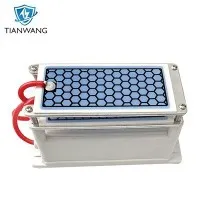
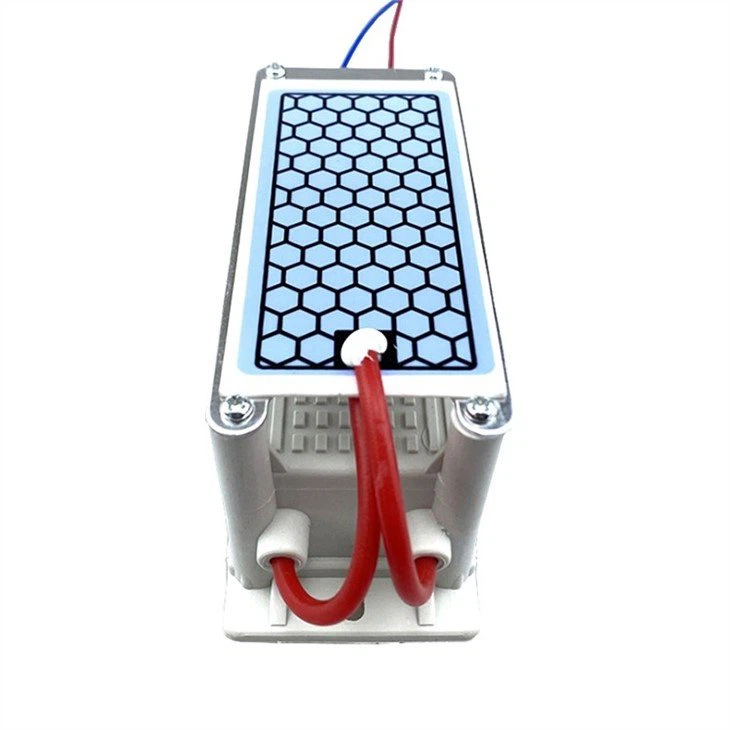
The ozone generator is the heart of the air purifier, so it's crucial to keep it clean. Some purifiers have a removable ozone generator, which makes cleaning easier. If yours does, carefully remove it according to the manual's instructions.
For the 10g ozone generator Cleaner Ozonizer Odor Eliminator 10g ozone generator Cleaner Ozonizer Odor Eliminator, 5g Ozone generator 5g Ozone generator, and 20g Portable Ozone Generator Air Sterilizer 20g Portable Ozone Generator Air Sterilizer, you can use a soft brush to gently remove any dust or debris from the generator. Be careful not to damage any of the components.
If the generator is dirty, you can soak it in a solution of warm water and a mild cleaning agent for about 15 - 20 minutes. Then, rinse it thoroughly with clean water and let it dry completely before putting it back in the purifier.
Cleaning the Filters
Most ozone air purifiers come with filters that help trap dust and other particles. These filters need to be cleaned or replaced regularly. If your filter is washable, remove it from the purifier and rinse it under running water. You can use a small amount of mild detergent to get rid of any dirt. Make sure to rinse it well to remove all the soap.
Let the filter dry completely before putting it back in the purifier. If the filter is not washable, you'll need to replace it with a new one. Check the user manual to find out how often you should replace the filter.
Cleaning the Fan
The fan in the air purifier helps circulate the air and distribute the ozone. Over time, it can get clogged with dust, which can reduce its efficiency. To clean the fan, use a can of compressed air to blow away any dust from the blades. You can also use a soft brush to gently clean the fan if needed. Be careful not to touch the blades too hard, as you don't want to bend them.

Reassembling the Purifier
Once you've cleaned all the parts, it's time to put the purifier back together. Make sure all the components are dry before you start reassembling. Carefully insert the ozone generator, filters, and any other removable parts back into their proper places. Follow the instructions in the manual to ensure everything is installed correctly.
After Cleaning Checks
After you've reassembled the purifier, plug it in and turn it on. Listen for any strange noises or vibrations, which could indicate that something is not installed correctly. Also, check to see if the purifier is producing ozone as it should. If you notice any problems, double - check your cleaning and reassembly steps, or contact the manufacturer for assistance.
How Often Should You Clean Your Ozone Air Purifier?
How often you clean your ozone air purifier depends on how often you use it and the environment it's in. If you use the purifier every day in a dusty or dirty area, you might need to clean it every 1 - 2 months. If it's used less frequently or in a cleaner environment, you can clean it every 3 - 6 months.
Benefits of Regular Cleaning
Regularly cleaning your ozone air purifier has many benefits. As I mentioned earlier, it helps the purifier work more efficiently. It also reduces the risk of breakdowns, which can save you money on repairs. A clean purifier will produce more ozone, which means it can clean the air better and get rid of odors more effectively. Plus, it'll make your purifier look nicer and last longer.
Conclusion
Cleaning your ozone air purifier is not that hard, but it's an important part of keeping it in good working condition. By following these simple steps, you can ensure your purifier runs smoothly and does its job of cleaning the air.
If you're in the market for a new ozone air purifier or need replacement parts for your existing one, don't hesitate to reach out. We offer a wide range of high - quality ozone air purifiers, including the 10g ozone generator Cleaner Ozonizer Odor Eliminator, 5g Ozone generator, and 20g Portable Ozone Generator Air Sterilizer. Contact us for more information and to start a procurement discussion.
References
- General knowledge about ozone air purifiers from years of experience as a supplier.
- User manuals of various ozone air purifier models.